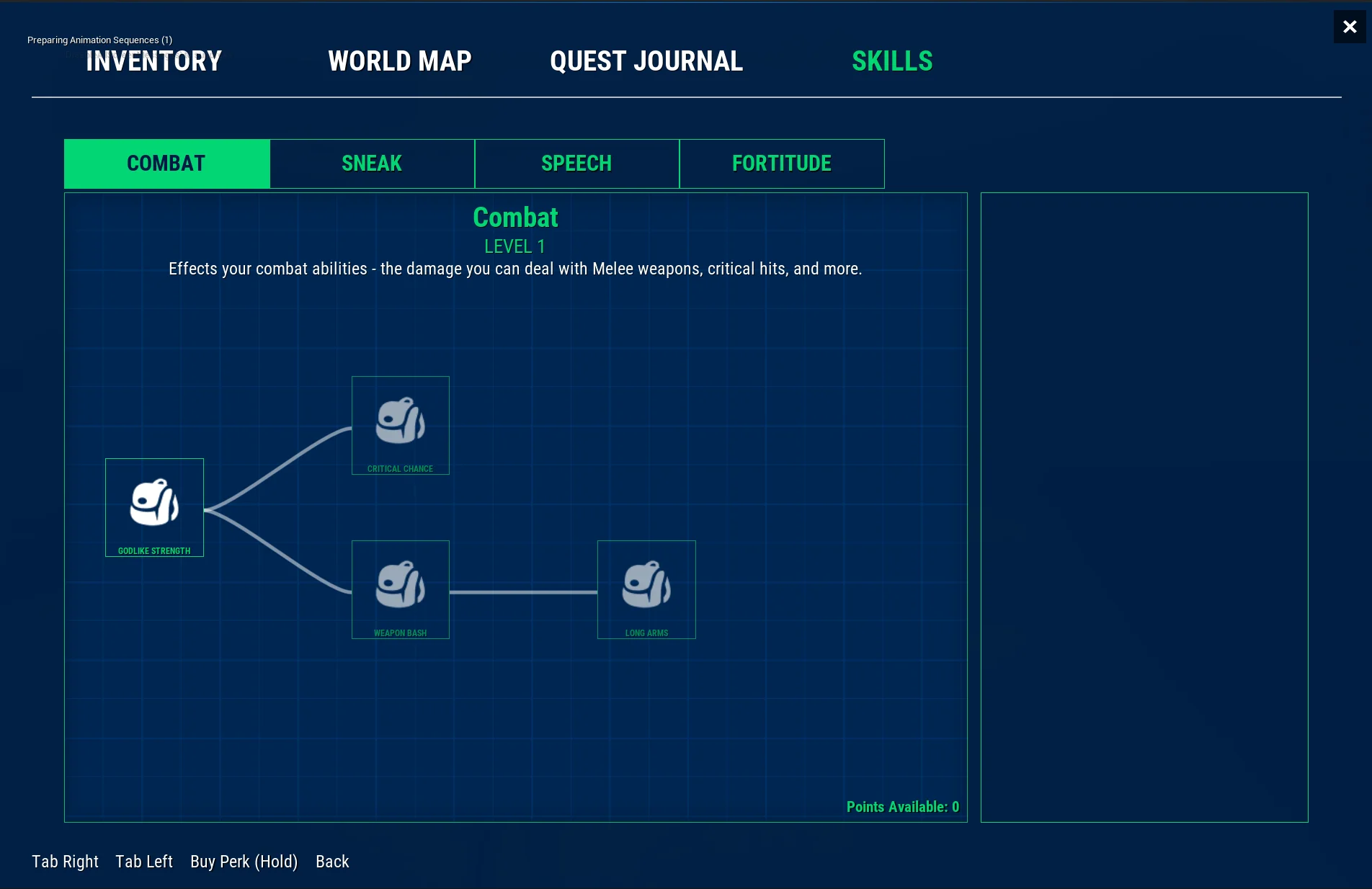
Perks
Adding a perk
Create a new Blueprint class with a type of Tree Perk. Call this the name of your perk (e.g. Perk_Melee_CriticalHit, Perk_Melee_WeaponNash, Perk_Stealth_FeatherQuietSneaking)


Open up the newly created perk and set the Display Name and Description.

You can also set other Perk options here.
| Variable | Description |
|---|---|
| Max Levels | This lets you upgrade the perk multiple times for each level. Often increasing the perks effectiveness. |
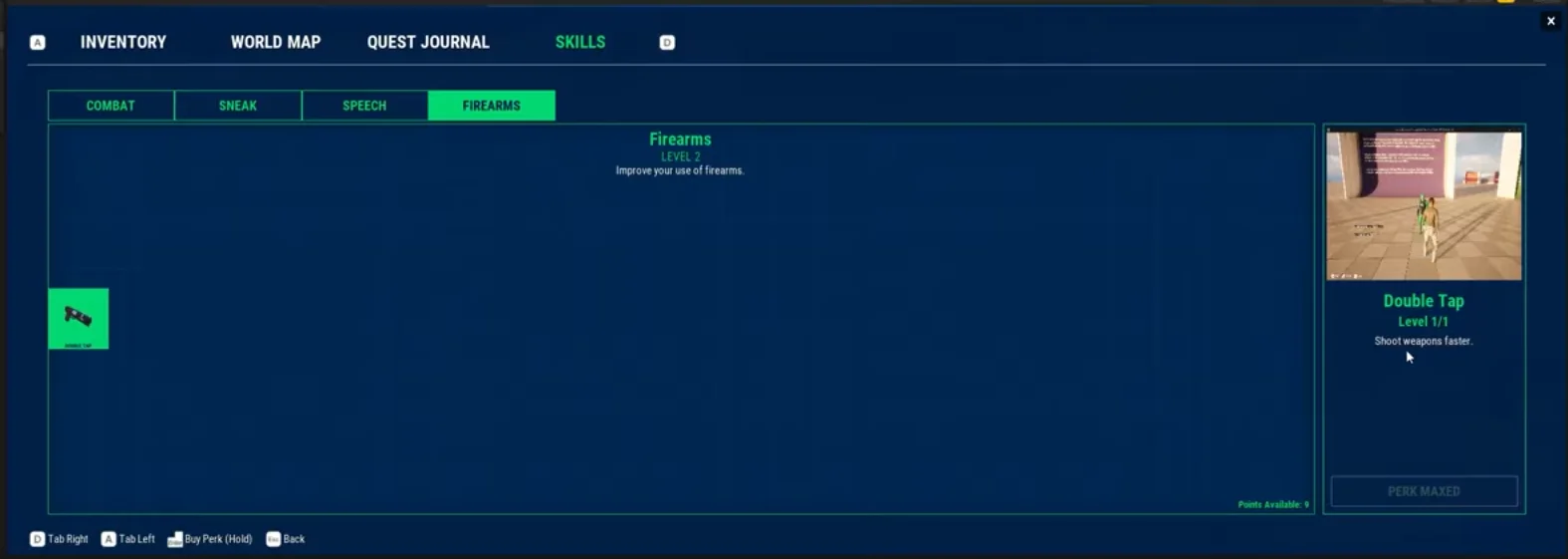
| Video | A video to show the perk in action in the preview window. |
| Perk Display Icon | The icon to show on the button in the skills window. |
Add this new perk to your Tree Skill's perks.

If you add a perk to a skill, but it's not showing up in the skill window, make sure you reset the skill instance inside the Skill Component, otherwise Unreal will ignore any extra changes assuming you've made changes.
Functionality
Making a perk actually do something is up to you based on what you want the perk to do. Since perks could be modify anything in the game, you need to add the perk to the appropriate section.
The most common check is checking if the player has the perk unlocked.
You can do this by using the HasPerk function on the Skill Tree Component. You can get this by getting the Character Owner (or the player pawn), getting the player state, getting the component (Skill Tree Component) then claling the HasPerk function.
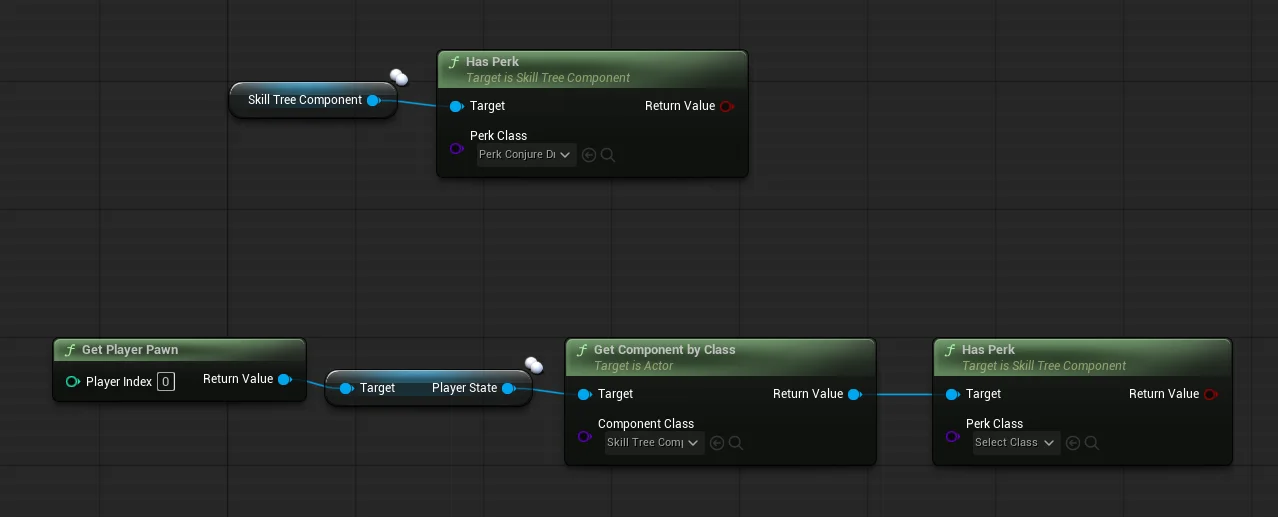
For example, if you had a perk that increased your weapon fire-rate, you can add it to the gameplay ability GA_Attack_firearm_Base where you can check if you have the perk unlocked, then multply the base fire-rate.
We also provide a Skill Tree Has Perk condition that you can add to Quests or Dialogue to unlock options or branches in quests if the player has a specific perk.

Linked perks
Linking perks together allows you to lock perks until previous perks are unlocked first.
Add both of your perks to the Skill Tree Component's Perks list to make them show in the skill window.
Then add the perk you want to lock to the Linked Perks list of the specific perk you want to be purchased first.

This allows you to chain multiple perks together to create a guided skill tree.