Narrative Conditions
Narrative Conditions allow you to conditionally include or exclude dialogue nodes based on the gameplay state.
They are most commonly used to:
- Gate dialogue options
- Control dialogue flow
- Check player or party state (items, quests, flags, etc.)
For example, you might create a Has Item condition that checks whether the player has enough currency before allowing them to select a dialogue option.
Currently, only Dialogues and Events support Narrative Conditions.
Quests do not support Narrative Conditions, only Narrative Events.
Check Condition
Checks whether the condition passes or fails.
This function is called internally when evaluating dialogue nodes, but can also be implemented in Blueprint or C++ to define custom logic.
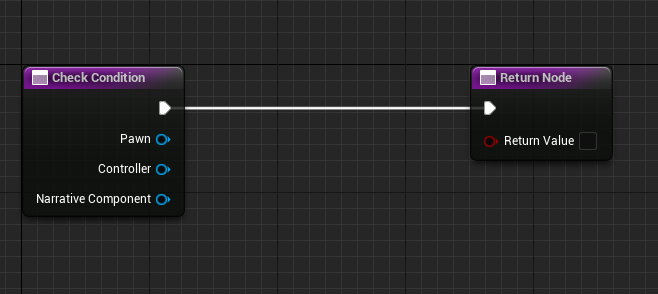
When running against a party:
Pawnmay benullptrControllermay benullptr
Always rely on the provided NarrativeComponent when supporting party checks.
Inputs
| Name | Type | Description |
|---|---|---|
| Pawn | APawn | The pawn being evaluated. null when evaluating against a party. |
| Controller | APlayerController | The controller being evaluated. null when evaluating against a party. |
| NarrativeComponent | UNarrativeComponent | The Narrative component performing the check. |
Output
| Name | Type | Description |
|---|---|---|
| Return Value | bool | Whether the condition passes. |
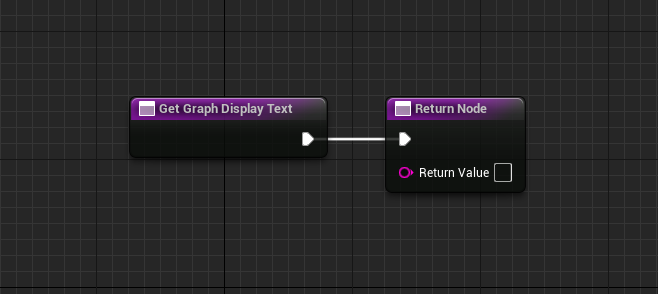
Get Graph Display Text
Defines the text shown on a dialogue node when this condition is attached.
This allows designers to quickly see which conditions are applied when viewing dialogue graphs.
Output
| Name | Type | Description |
|---|---|---|
| Return Value | FString | Text displayed on the node in the graph editor. |